

For convention organizers
Your convention's own app, with your name on it.
Magic Buddy is a white-label app for your convention alone. Your link and QR code open your branding, your schedule, venues, performers and dealers, plus agendas, alerts, friends and a gamified challenge layer that rewards attendees for showing up.






Build your program
Your whole schedule, ready in an afternoon
Put every lecture, gala show, close-up show, workshop, competition and dealer demo in one place. Times show in your convention's time zone.
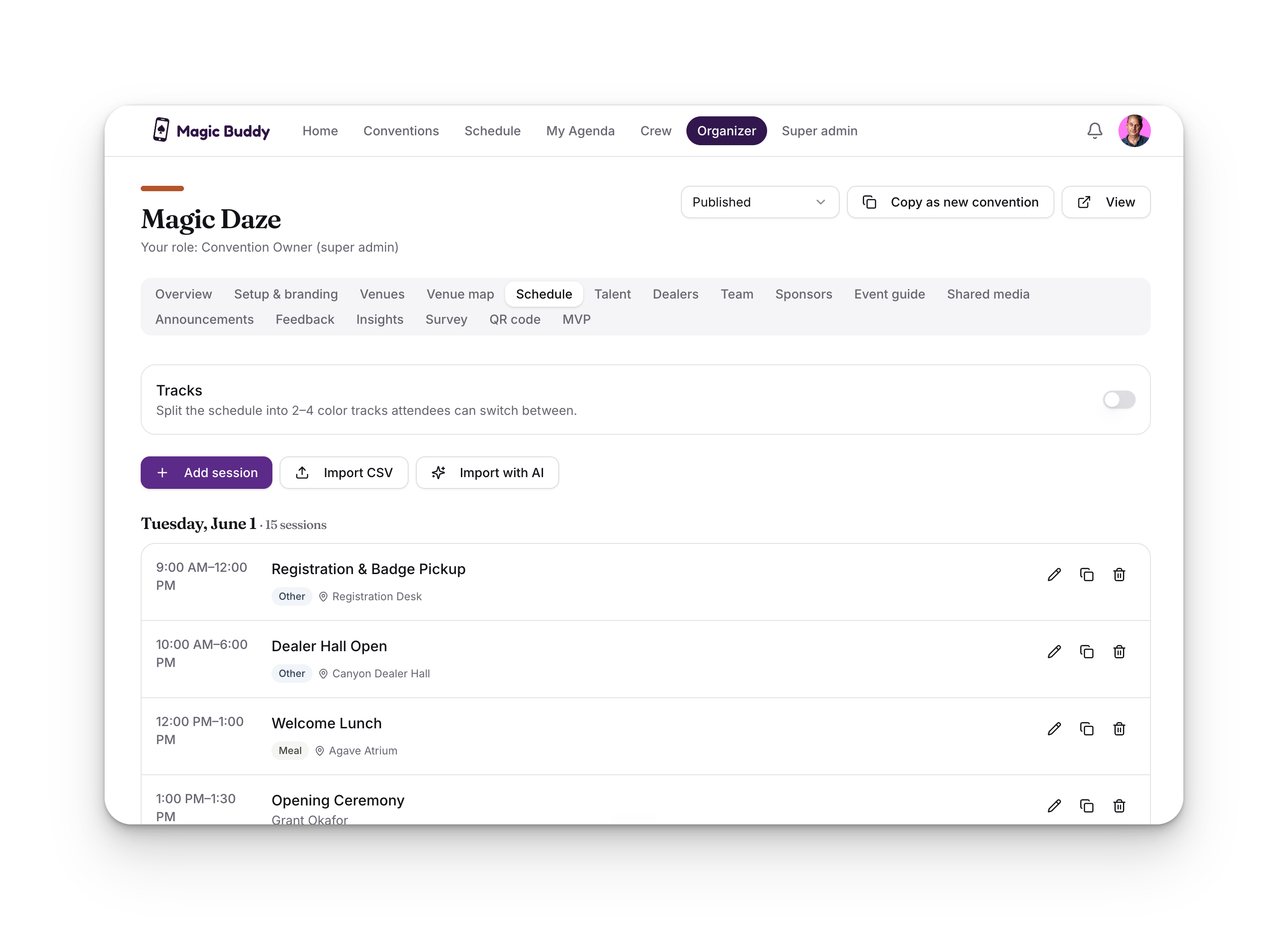
Schedule builder
Add sessions with times, venues, performers, tags, ticket links, prices and capacity.
Import with AI
Paste your printed program or upload a PDF or image. You check every session before anything is saved.
Spreadsheet import
Already have a CSV? Import it in one step, adding to your schedule or replacing it.
Session images
Give any session a banner image. Upload your own or pick a free photo from the built-in search.
Venues and spaces
List stages, lecture venues, the dealer room, registration, food and bars so attendees know where to go.
Session handouts
Attach lecture notes and handouts to any session. Only signed-in attendees can download them.
Venue map
Upload your floor plan and pin each venue on it. Attendees tap a session or venue to see exactly where it is.
Keep attendees informed
When plans change, the right people hear about it
Conventions shift all weekend. The app keeps attendees up to date so your team isn't answering the same question at the door.
Live change alerts
Mark a session as moved, delayed or cancelled, and attendees who saved it get told.
Personal agendas
Attendees save the sessions they want, get a reminder before each one starts, and are alerted if a saved session moves or is cancelled. Reminders and alerts arrive as phone notifications for attendees who add the app to their home screen and allow notifications. You can also choose to email them about important changes.
Announcements
Send a message to every attendee at once. It arrives in the app and by email.
Session feedback
Attendees rate sessions and leave comments. You choose which sessions' talent can see their feedback.
Publish when you're ready
Build privately as a draft. Nothing is public until you publish.
Post-convention survey
Build your own survey. It opens automatically after the weekend, answers are always anonymous, and you can email attendees and offer a thank-you code.
What your attendees get
A better weekend, which means happier attendees who come back
Attendees use it for free. It helps them find the sessions they care about and find their friends, and they keep using it from one convention to the next.
My agenda
Save sessions, choose how early to be reminded, get an alert if a saved session changes, and see what's on right now. Works offline once loaded.
Private messages
Message friends one-on-one, alongside squad chat.
Block and report
Attendees can block anyone and report bad behavior to our team.
Squads
Small groups of friends with their own chat, meetup plans and shared schedule.
Quick pings
One tap for "I'm at…", "Meet at…", "Saving seats" or "Running late".
Here now
Tell your squad which venue you're in. Only the venue is shared, never GPS, and it clears at the end of the day.
Friends that last
Scan a profile QR code to connect. Friends carry over from one convention to the next.
Moments
Share photos and videos from the weekend with everyone at the convention.
Privacy controls
Attendees choose who can see they're attending: everyone or friends only.
Meet the performers
Browse performer pages, their lineup and their latest news.
Dealer room
Browse dealers, watch product demos, grab show specials and build a list of tables to visit.
Handouts and ratings
Download session notes and handouts, then rate each session and leave a comment.
Add to calendar
Send saved sessions to the calendar on their phone or computer.
Find your way
Zoom around the venue map and jump straight to any session's venue.
Run it as a team
Everyone on your crew gets the right access
Invite your committee and give each person a role. They can change what their job needs and nothing else.
Team roles
Owner, co-organizer, program chair, talent liaison, dealer chair, marketing lead, stage manager, volunteers and more.
Talent pages
Everyone in your lineup gets a profile. Talent can manage their own photo, bio, links and news.
Shared attendee media
Attendees can let you use their photos and videos. Download them for your marketing, with the photographer credited.
Insights
See how many people are interested, daily check-ins, your most-saved sessions, session star ratings, challenge check-in numbers and survey results.
MVP voting
Let attendees vote for the MVP of your convention. You set the wording and the deadline, and only your team sees the results.
Run your dealer room
A virtual dealer room that works all weekend
Invite your dealers by email and each one builds their own page. You set the table numbers and hours. They handle the rest.




Copper Coin Co.
Coins, shells and gaffs, hand-finished
Magic Daze 2027
Table 102Daily 10am to 6pm
Featured: Copper Silver Brass Set
DAZE27 · Show special
Featured products


Palm Coins (Set of 4)
$39


Copper Silver Brass Set
$129
Dealer pages
Each dealer gets a page with their logo, hero image, description, website and social links. One page carries over to every convention they attend, and stays listed in the year-round dealer directory.
Featured products
Dealers show products with a photo or a YouTube or Vimeo demo, plus price, category and a buy-online link.
Show specials
Convention-only deals with an optional promo code and end time. Specials disappear automatically when they end.
Dealer directory
Attendees search dealers and products, filter by category, and save favorites to a list that shows each table number.
Gamify the weekend
Turn showing up into a game attendees want to win
Optional challenges reward attendees for taking part. Scanning a room's QR code checks them into whatever session is live, and every check-in earns points toward your levels, badges and rewards.
Room QR check-ins
Print one code per room. Scans only count while a session is running there, so points can't be collected from the hallway.
Points and levels
Every check-in earns points. Set a default, give any session extra points, and attendees climb three levels: Bronze, Silver and Gold, which you can rename.
Badges and rewards
Each level awards an enamel-pin badge. Add a reward that unlocks when it's reached: a downloadable file, a YouTube or Vimeo video, a link, or details like a discount code.
For example
Reach Gold to unlock a downloadable lecture video, or Silver for a dealer-room discount code.
Part of the toolkit
Challenges sit alongside schedules, agendas, friends and squads, with check-in numbers in your dashboard.
Make it yours
Your convention, your look
Attendees see your identity from the moment they open your convention.
Magic Daze 2027
Accent color
Logo


Header image






Magic Daze 2027
Jun 1 – Jun 4, 2027
Your branding
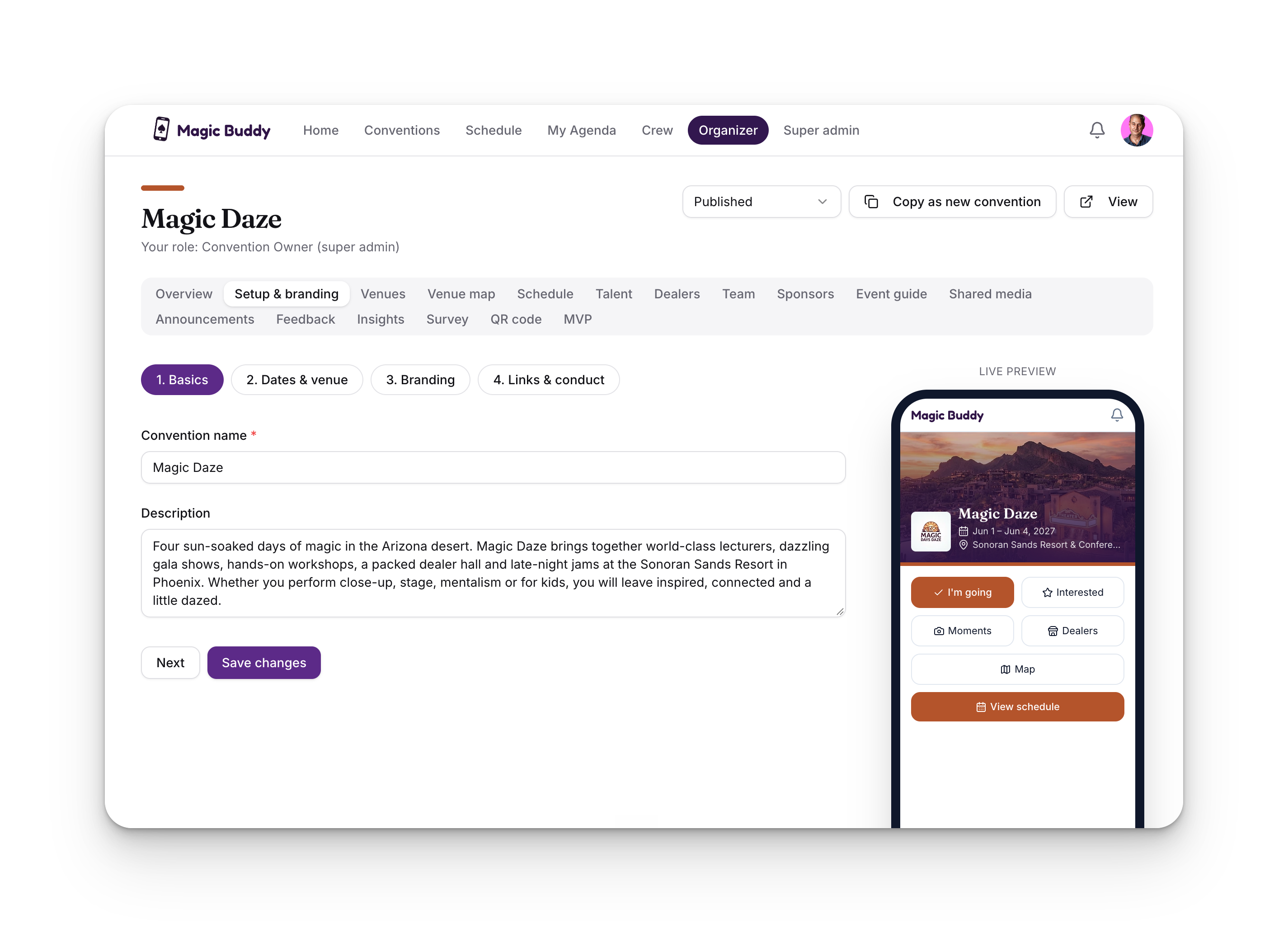
Your logo, header image and accent color across your convention's pages, plus a custom passport stamp attendees collect when they check in.
Your name at the top
On Pro, the app's top bar and the add-to-home-screen prompt show your convention's name and logo instead of Magic Buddy.
Live phone preview
See how your convention looks on a phone while you set it up.
One link to share
Send one link in emails, on social media and on your badges. It opens in any phone browser and can be saved to the home screen.
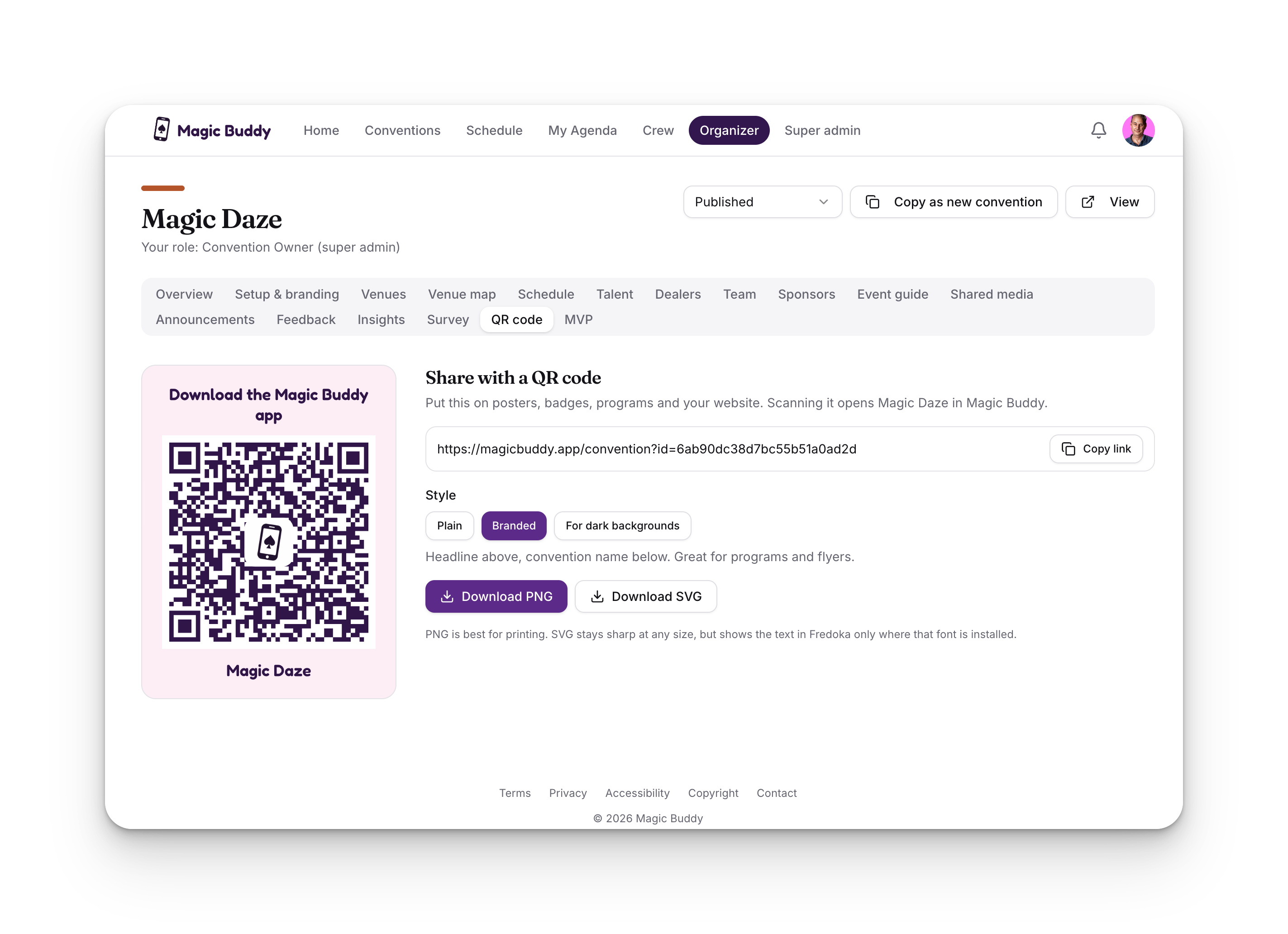
Branded QR code
A QR code with your convention's name, ready to download for signs, badges and printed programs.
Sponsors
Thank your sponsors with logos and links, grouped by sponsorship level.
How it works
Live in four steps
- 1
Request access
Free. Confirm your email and an admin checks your convention, usually within 48 hours.
- 2
Add your schedule
Build it by hand, or import it with AI or a spreadsheet.
- 3
Invite your team
Give each person a role that fits their job.
- 4
Publish and share
Send attendees one link and they're ready to go.
Questions organizers ask
Organizer access
Free for organizers
Confirm your email, then a Magic Buddy admin checks your convention before it goes live. No fee and no subscription.
Request free access- Unlimited sessions, venues and performers
- Your whole team, with roles
- Live change alerts to attendees
- Free for every attendee and dealer